Log Your Live Hands
In Seconds
Export to your favorite analysis tools in one tap. LiveHands bridges the gap between live play and digital analysis — purpose-built for serious tournament players.


Export to Your Favorite Analysis Tools
LiveHands exports hand history files in PokerStars text format,
the de facto standard accepted by leading analysis platforms.



Features
Built For The Pace Of Live Play
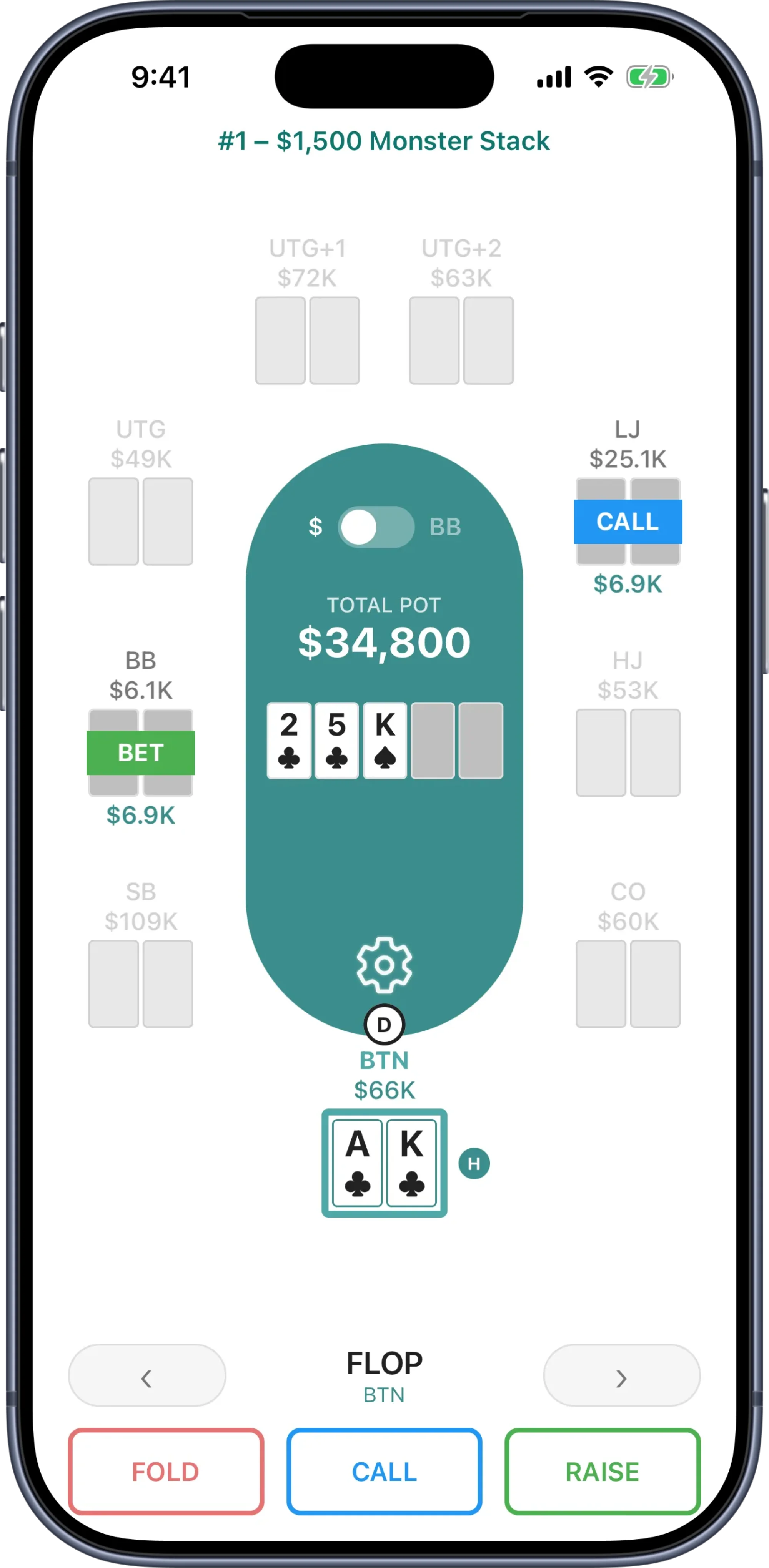
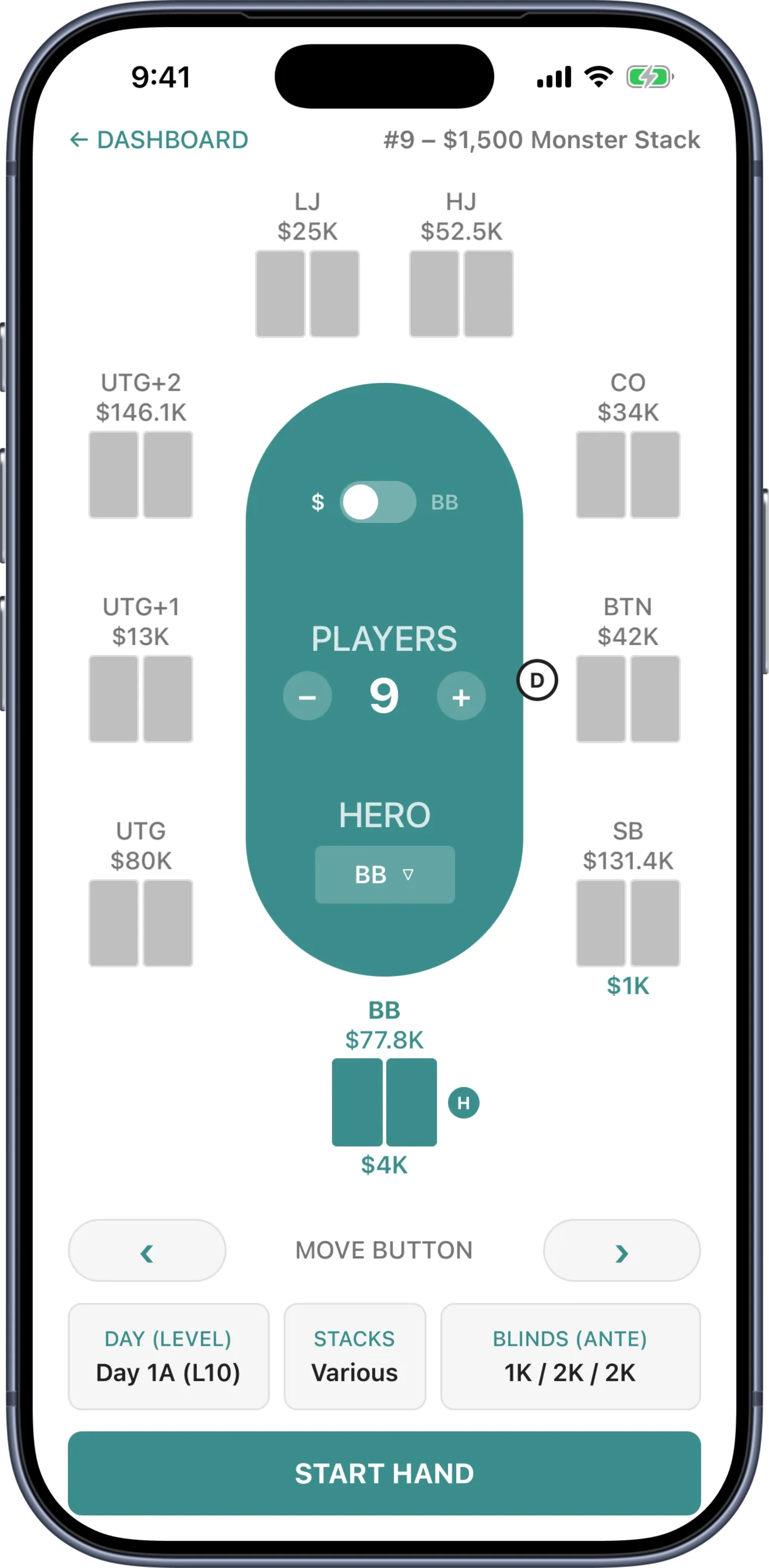
You have 30–60 seconds between hands. LiveHands is designed for that constraint — custom keypads, tap-based card selection, and contextual action buttons that let you record a complete hand before the next one is dealt.
Guided Hand Flow
A step-by-step flow walks you through each hand from preflop to river. Contextual action buttons show only what’s valid at each point — no guesswork, no wasted taps.
Built for Speed
Custom keypads for chip entry, tap-based card selection, and dedicated buttons for common bet sizings. Record a complete hand between deals.
Table Memory
Return to any tournament and pick up where you left off. Stacks, blinds, and positions carry forward automatically — so you spend less time setting up and more time capturing hands.
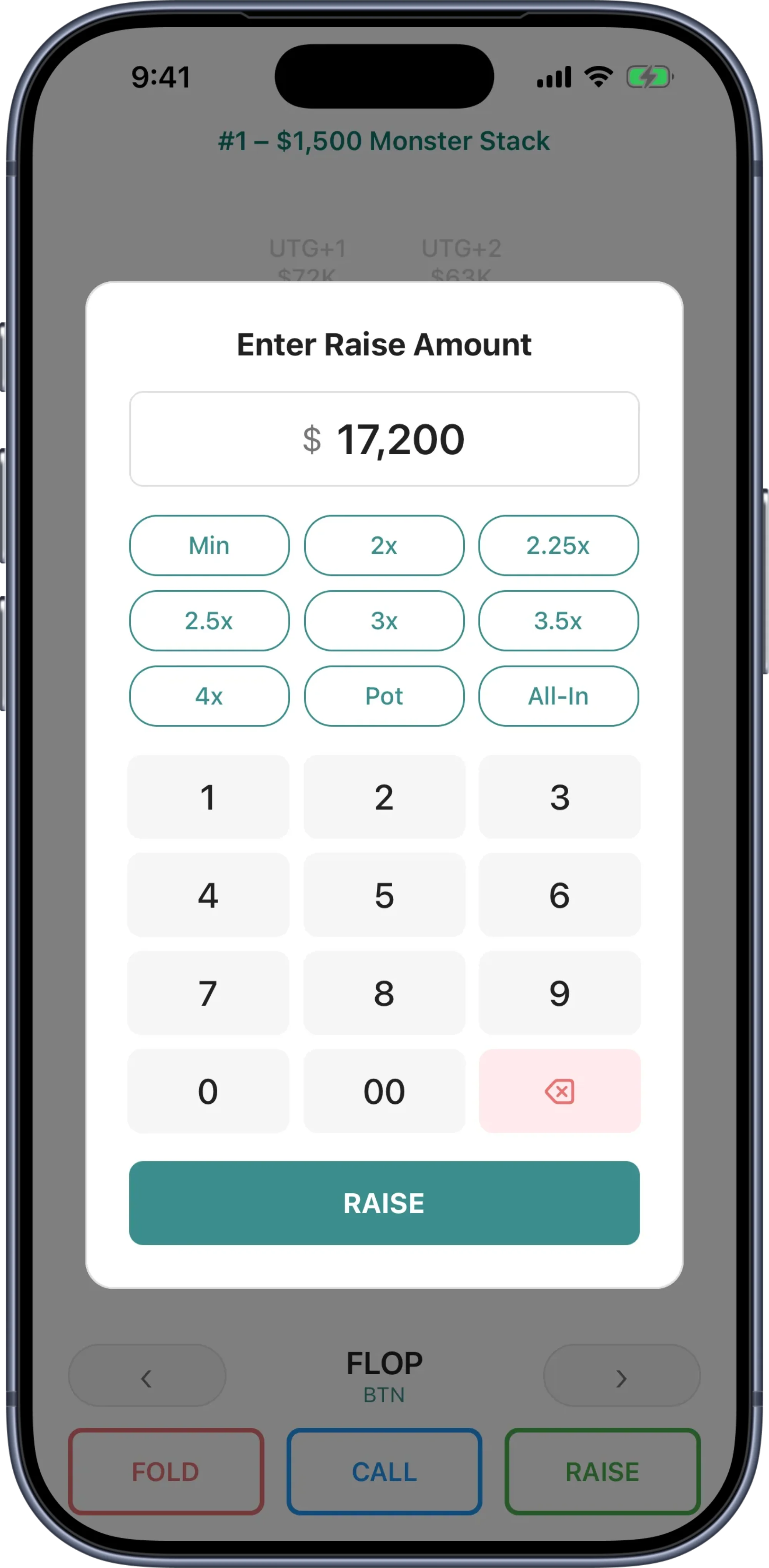
Table To Database In One Tap
LiveHands exports in PokerStars text format — the de facto industry standard accepted by leading analysis platforms. Your live hands flow into PokerTracker 4, Holdem Manager 3, and Hand2Note exactly like online hands. No conversion, no reformatting.
PokerStars Format Export
The industry standard format. One tap generates a .txt file ready for import.
One Tap, Any Scope
Export a single hand to share with your coach, or an entire tournament for your database. Every export is a clean .txt file ready for import.
Bridge the Live-Online Gap
You have thousands of hands in your online database. Your live database shouldn’t be blank. LiveHands fills it.
Your Live Hands, Study-Ready
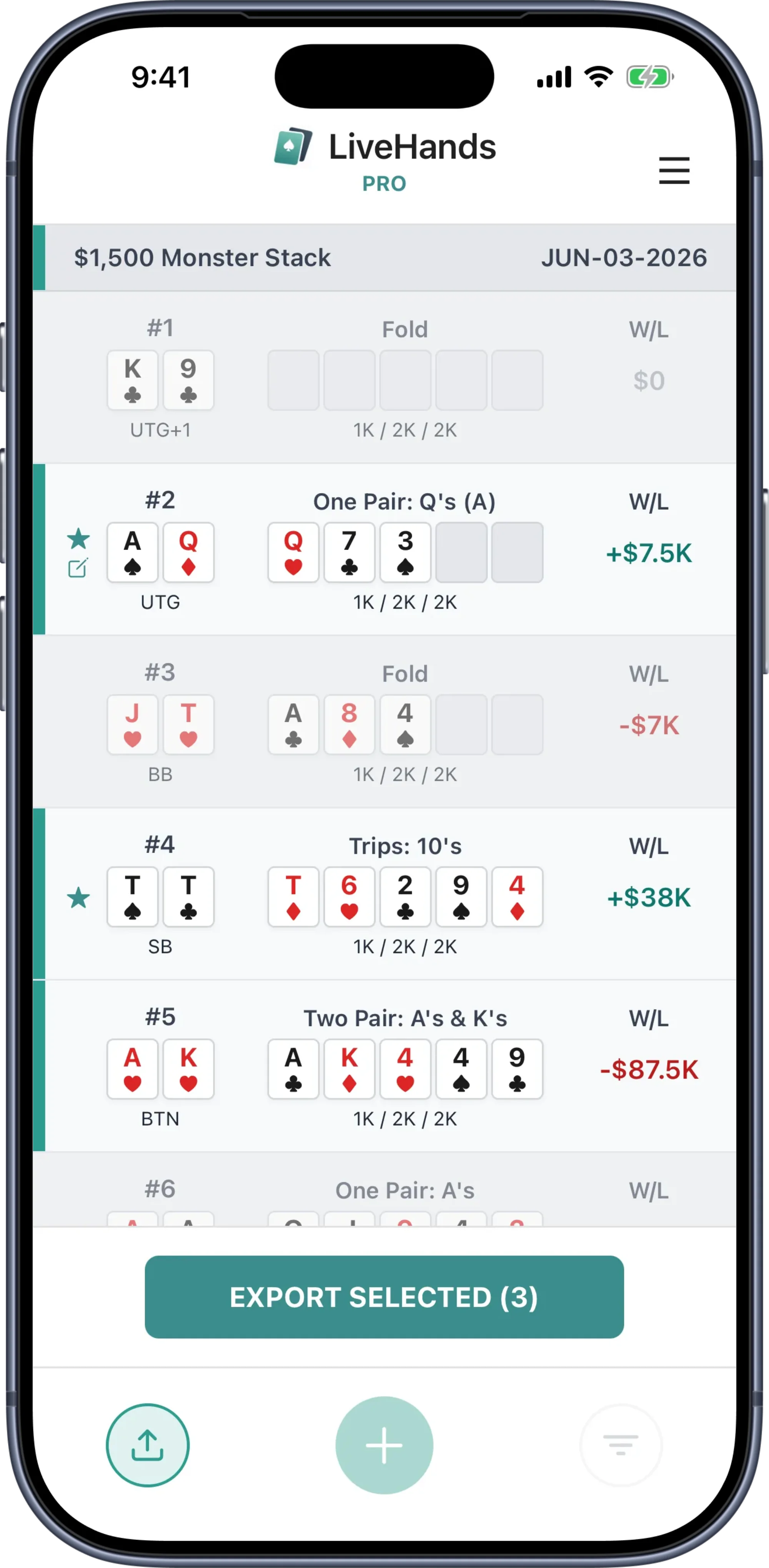
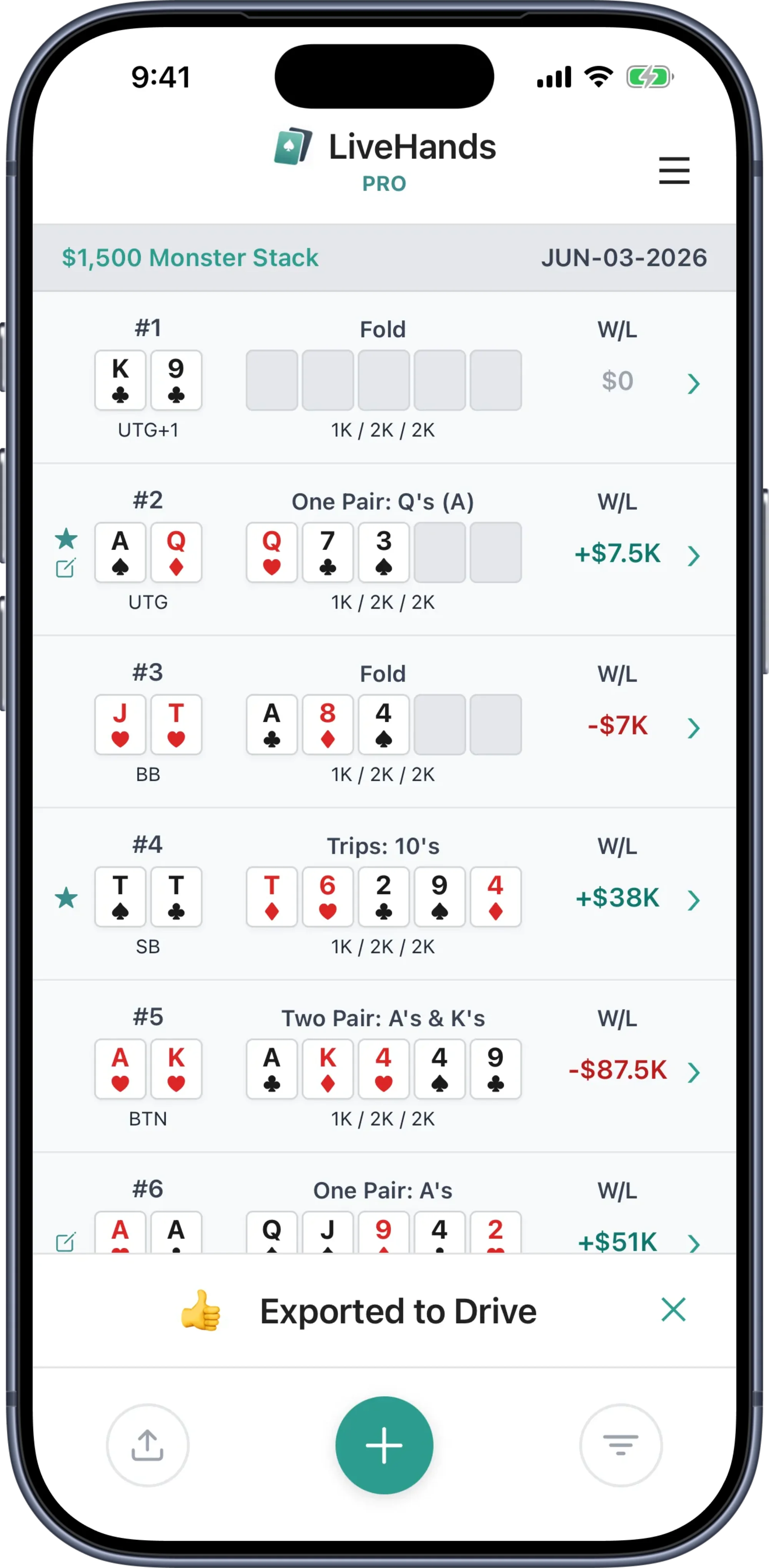
A complete record of every hand — starting stacks, pot sizes, SPR, betting lines, and showdown results. See your hands the way analysis software sees them — structured, complete, and ready to study.
Street-by-Street Breakdown
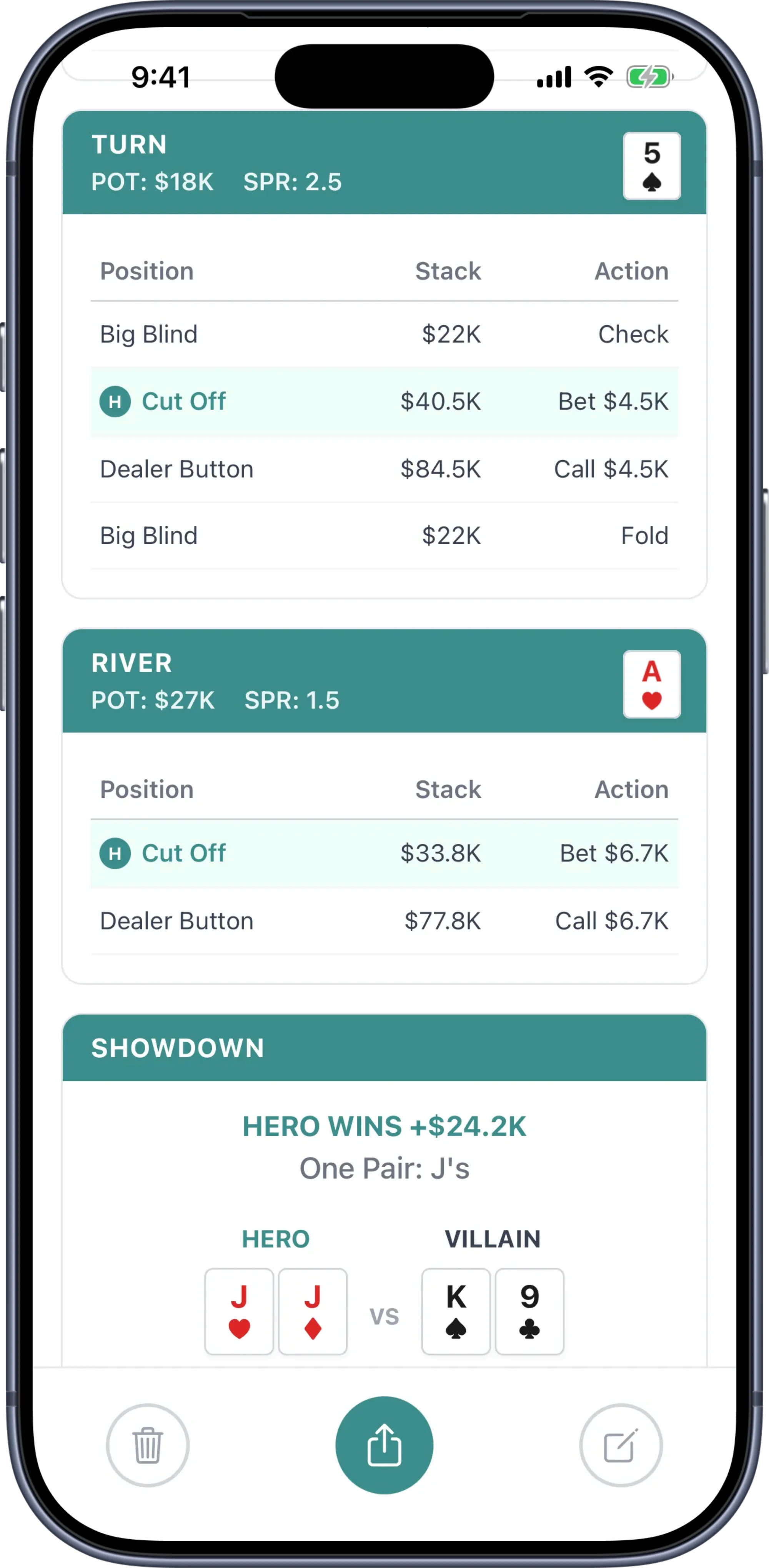
Every hand laid out from preflop to showdown — pot sizes, actions, and board cards at every street.
Flag What Matters
Mark any hand as a favorite or add a note — reads, table dynamics, mental state, anything. Your key hands stand out on the dashboard so you can find them when it’s time to study.
Filter and Find
Filter your hand history by position, outcome, pot type, showdown, all-in, and more. Surface the hands worth studying.
Share Your Hands, Not Walls Of Text
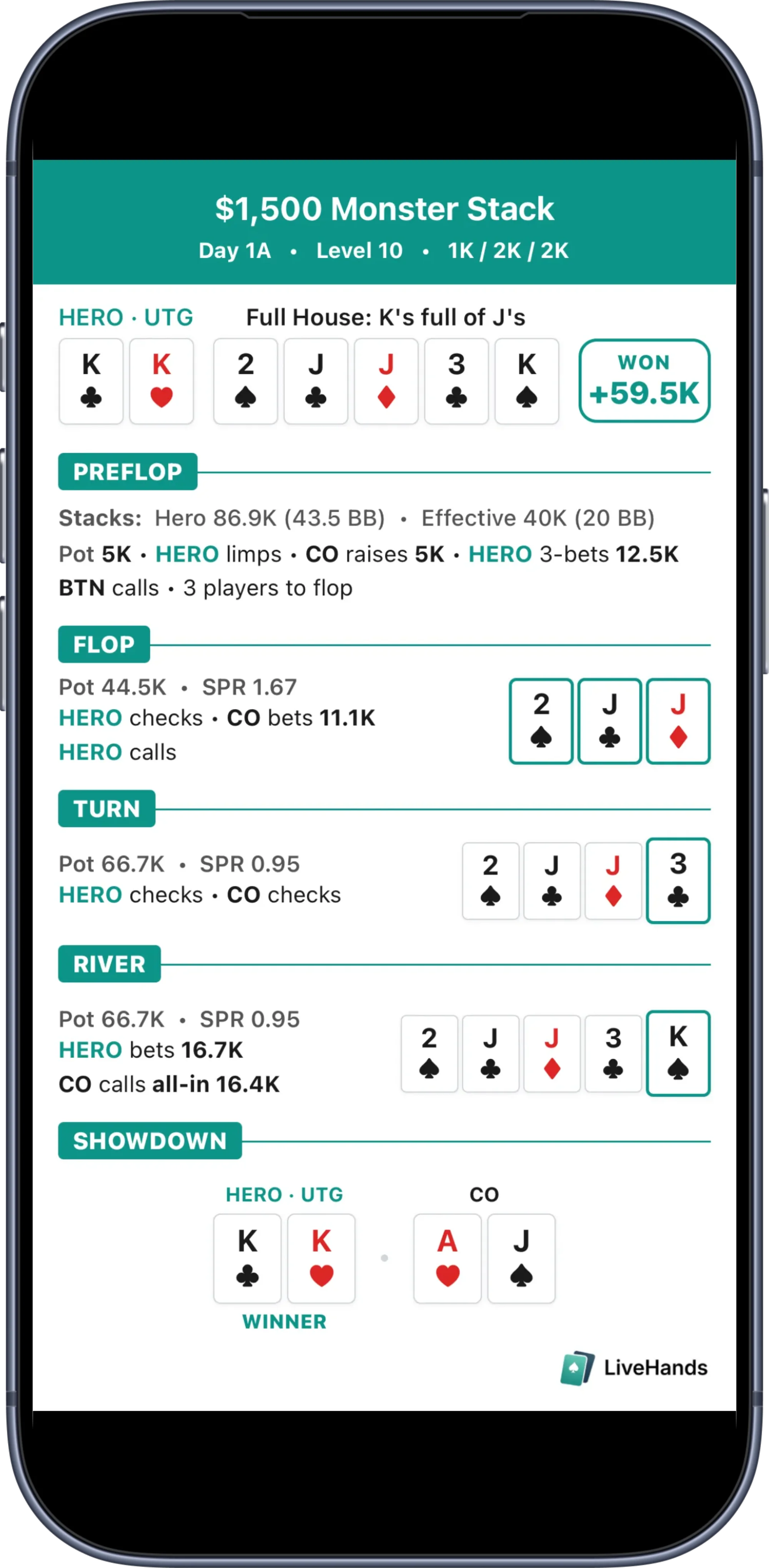
Turn any hand into a share card built for social media — the full story of the hand in a single image, formatted and sized for the platforms where poker content lives.
Visual Share Cards
Turn any hand into a polished share card that tells the full story — event context, street-by-street action, board runout, and showdown result in a single image.
Platform-Ready Formats
Sized for X and Instagram out of the box. Share a deep-run hero call or a tournament-defining bluff as a visual story, not a wall of text.
Every Hand Is Content
Log a hand, tap share, post. No Canva, no manual formatting, no 30-minute reconstruction from memory.
Built To Keep Up With You
LiveHands was born from the WSOP Main Event — live poker’s ultimate endurance test. It’s designed to handle everything a live tournament throws at you. Table breaks, new players rotating in, blind levels jumping — your hand data stays intact no matter what.
Always Saved, Always Synced
Every action is saved locally as you log it and synced to the cloud when possible. Phone dies, battery runs low, you get moved to a new table — your hand is preserved.
Resume Any Draft
Draft hands appear on your dashboard ready to finish. One tap and you’re back where you left off — no lost work, no re-entering data.
Edit After the Fact
Missed a detail or made a logging mistake? Go back and correct any action, bet size, or card entry after the hand is saved.
Your Data, Your Way
You own your hand data — no ads, no selling your data, no lock-in. Export anytime in an open format. That’s a commitment, not a tagline.
You Own Your Hands
Your hand data belongs to you. LiveHands will never sell your raw hand histories. It’s a legal commitment — not just a marketing line.
Cloud Backup & Sync
Local-first storage for speed and offline reliability, with automatic cloud sync to protect your data from device loss.
Export Anytime
Your hand histories export in PokerStars text format — an open, portable standard. Your data is never locked inside the app.
Pricing
Simple, transparent pricing. No surprises.
FEATURES
- Speed-first hand logging
- Full hand history review
- Hand editing
- PokerStars format file export
- Social share cards
- Draft auto-save & resume
- Cloud backup & sync
- iOS & Android
Frequently Asked Questions
Everything you need to know about LiveHands.
Built for Serious
Tournament Players
The fastest way to capture live hands and get them into your analysis workflow. 7-day free trial, no credit card required.